Using the tools on this site: catalogue search and the mode-pair card
Two tools, one for finding items and one for comparing freight modes. Here is how each works and why neither asks for a weight or a price.
How to use the search box
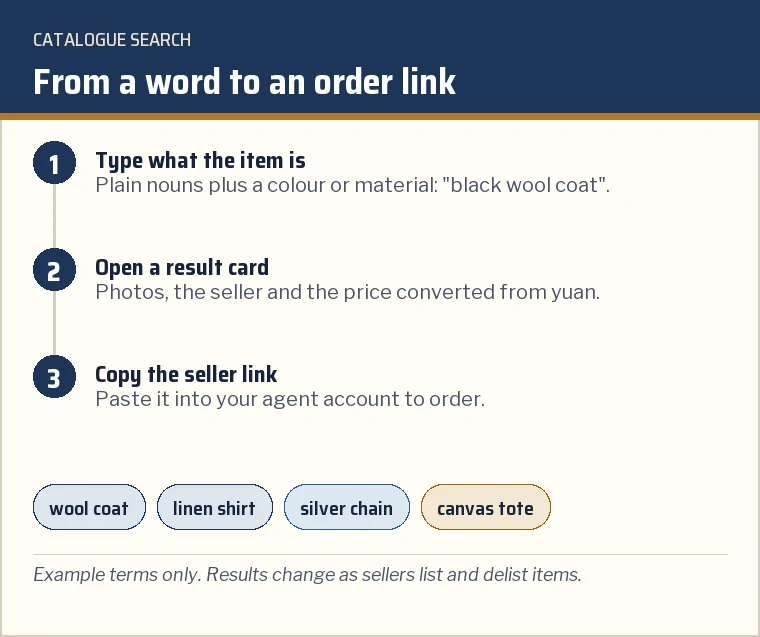
The search field in the home page hero looks through the catalogue of finds, the same cards the category shelves open. Type what the item is, in plain words: "wool coat", "linen shirt", "silver chain". Short, concrete terms work better than style names, and a colour or material narrows the results quickly.
Results are the sellers' listings, with photos and the price in yuan converted for display. Open a card to see the seller link, which is what you paste into an agent account. If a search comes back thin, try the category shelf instead: the catalogue page lists all of them, grouped by how the items usually travel.
Two habits save time. Search for the item rather than the look: "pleated wool trousers" finds more than "smart trousers". And open several cards from different sellers before choosing one, because one garment is frequently sold by several shops, each with its own price and its own photos, and the seller you pick is the one the agent will buy from.
Reading the mode-pair card
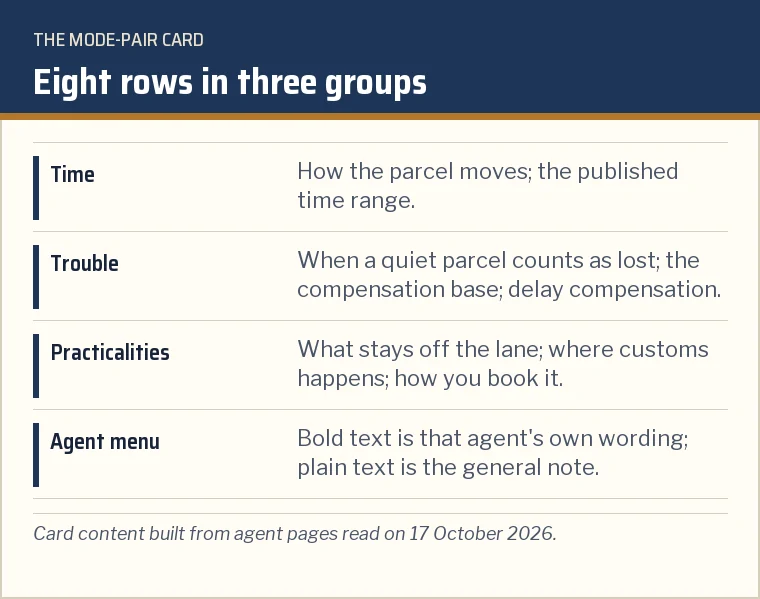
The card on the Freight modes page takes two choices and an optional third. Pick a first and a second mode from air express, air postal, air plus road, rail and sea. If you already use one agent, pick it in the third menu; its own published wording then appears in bold above the general note wherever it has published something, and points it says nothing about are marked that way.
Read the card top to bottom. The first two rows are about time, the next three about what happens if something goes wrong, and the last three about what you can send, where it is cleared and how you book it. The home page has a short version of the form that opens the card with your two modes already chosen.
Nothing you choose is stored or sent anywhere; the card is built in your browser from text on the page.
What the tools leave out on purpose
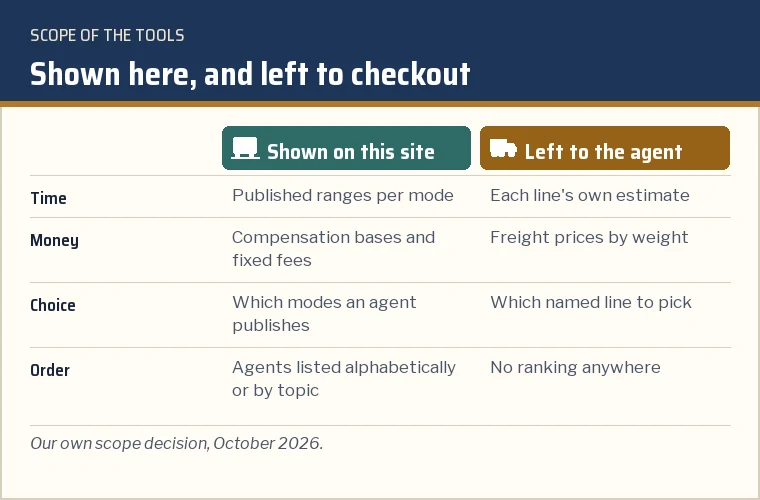
There is no weight box, no destination menu and no price anywhere in these tools. Freight prices depend on the line, the weight step, the volume rule and the day, and agents already show them on their own checkout pages; a copy here would be out of date within weeks and would invite a comparison by price alone, which is the comparison this site is trying to widen.
The card also never names a shipping line or puts agents in an order. Line names change, lines open and close, and a ranking would need evidence about service and reliability that nobody publishes in a repeatable form. What the card shows instead are the rules that are written down and stable enough to quote: windows, bases, exclusions and booking routes.
If you need a price, use the estimator on your agent's own site with your real parcel weight, and check the line notes under each result before choosing.